 Dostatok
Family Finance Dashboard
A ready-made family budget spreadsheet in Google Sheets. Once a month you add entries to a single sheet — it shows where your money goes, what's left, and how you're doing against your goals.
690 ₽ 1 190 ₽
Ready-made spreadsheets for tracking income, expenses, savings and debt. No complicated formulas — add your entries once a month, the sheet does the rest.
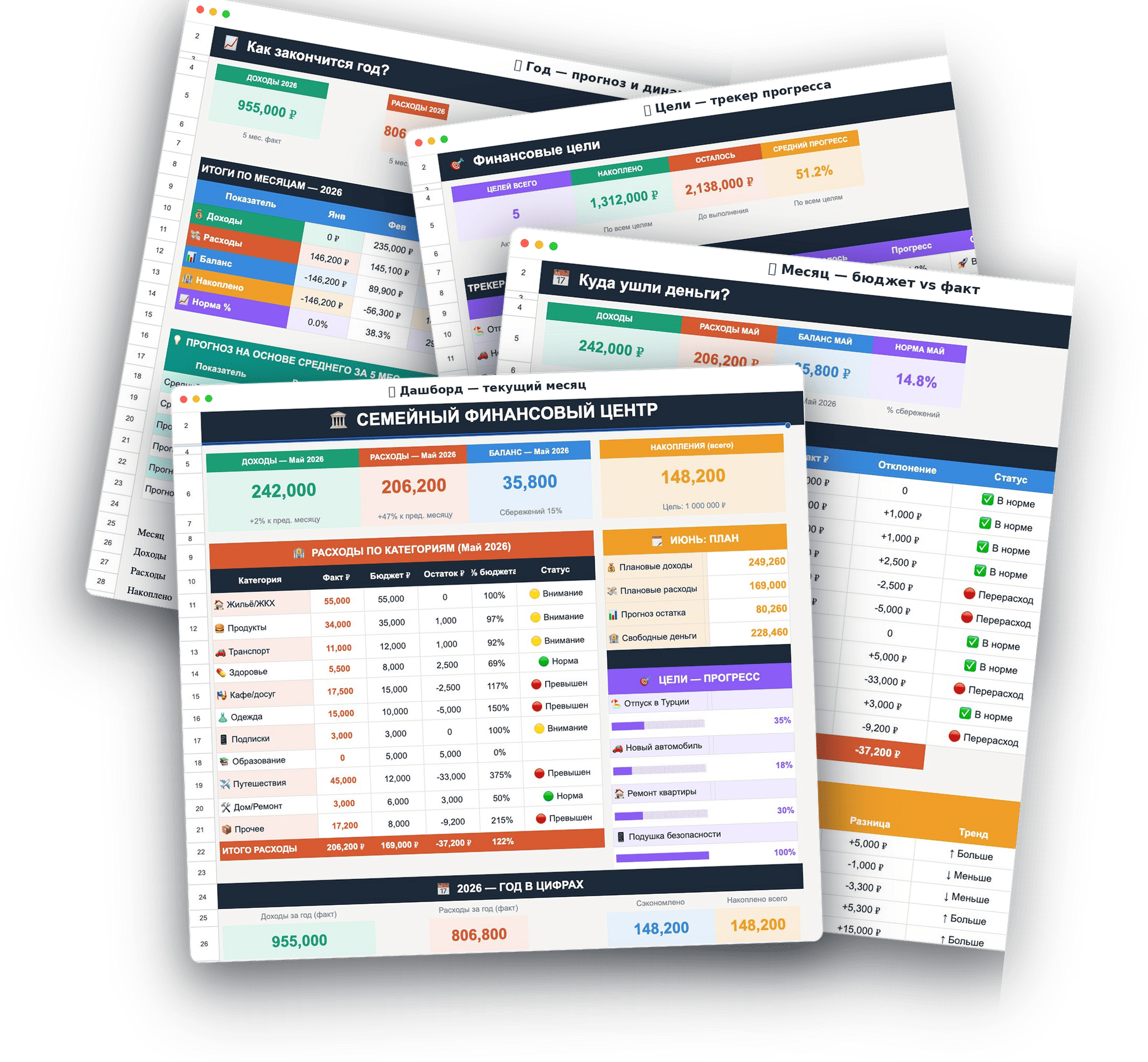
Income and expenses fall into clear categories — see exactly where your money goes.
Emergency fund, vacation, renovation — track progress on every goal.
Shared access: everyone in the family can add entries from any device.
Charts and summaries recalculate themselves with every new entry.
Plan vs. actual — compare your budget with real spending.
Buy once — the sheet is yours forever, and your data stays with you.
One file, three places to enter data — everything else calculates itself
How to copy, set up and fill in the sheet. You can always come back to it.
Set up your categories and budgets once.
The only place you enter anything. One row = one entry. Categories are picked from a dropdown.
The whole month on one screen: income, expenses, balance, savings, next month's plan and goal progress.
Budget vs. actual for every category. See at a glance where you overspent and how the month compares to the last.
12 months in one table plus a forecast — where you'll end the year if you keep spending like this.
Where your money is leaking, plus a 50/30/20 rule check to see if you're on track.
Up to 5 goals with progress bars and a calculation of how much to set aside each month to hit your deadline.
A ready-made family budget spreadsheet in Google Sheets
A ready-made family budget spreadsheet in Google Sheets. Once a month you add entries to a single sheet — it shows where your money goes, what's left, and how you're doing against your goals.
No, it's not an app — it's a Google Sheets file. After payment you get a link to the file, make your own copy in your Google Drive, and use it like any other spreadsheet — on desktop, tablet or phone.
Yes. The formulas are already set up and protected from accidental changes — you only enter data in three places (Reference, Log, Goals), and everything else is calculated for you. The file includes a step-by-step guide to get started.
Yes. Share the sheet with your family — both partners and kids can add entries from any device, and changes show up for everyone right away.
The file you open from the link is view-only. In Google Sheets, choose "File → Make a copy" — it will save to your own Google Drive, and that's the copy you customize.
No. The sheet lives in your personal Google Drive, and only you (and anyone you choose to share it with) can see it. We never collect or see your financial data.